

Guides AI Agents & Automation
GitHub Copilot Retires Six AI Models: What Developers Should Switch to in October 2026
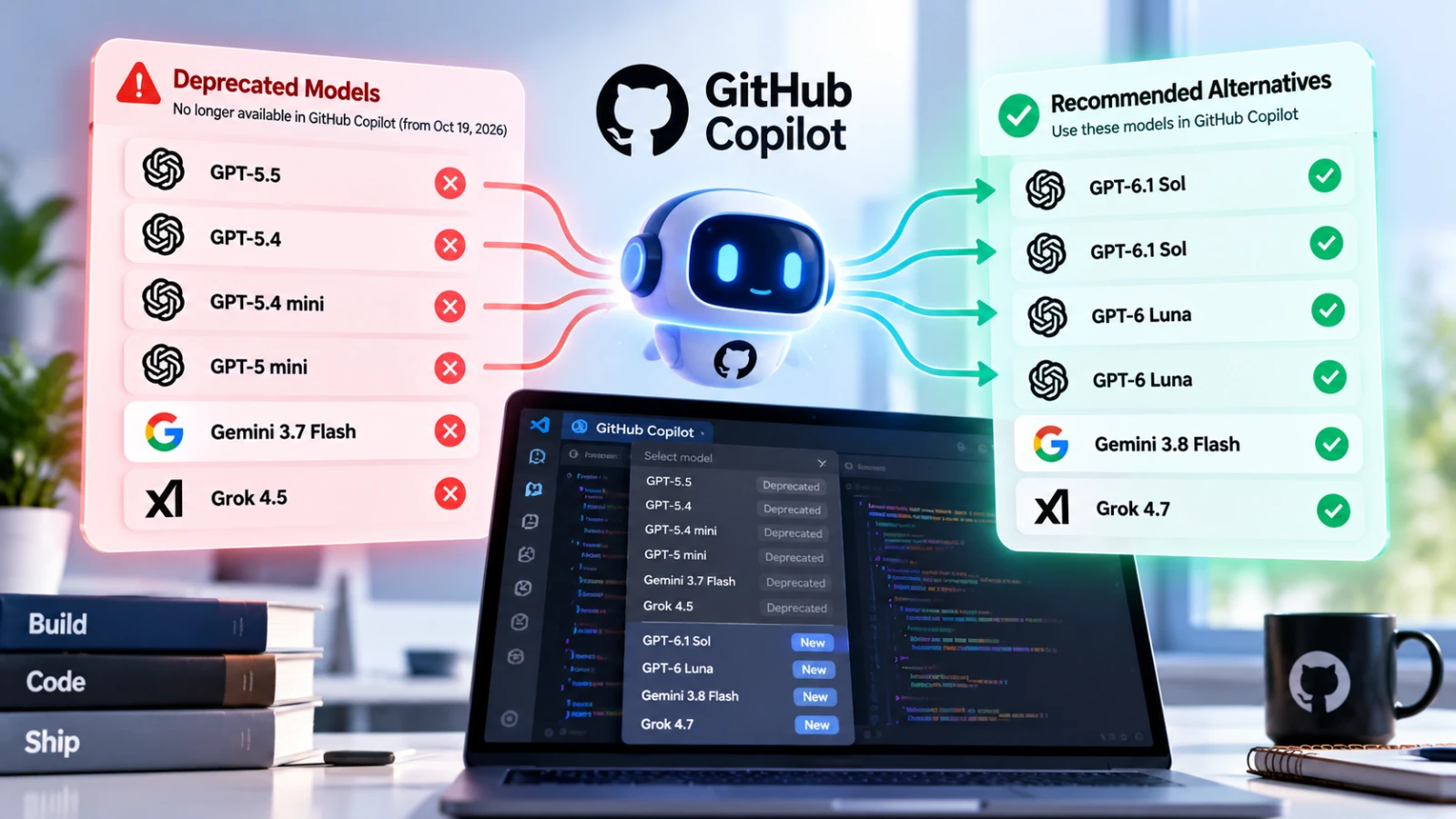
GitHub Copilot deprecated six AI models on October 19, 2026, including GPT-5.5, GPT-5.4, Gemini 3.7 Flash, and Grok 4.5. GitHub has recommended replacement models, but choosing the right alternative requires more than selecting the newest option. Here's what changed, which models are affected, and how developers and teams can update their coding workflows.
GitHub Copilot Retires Six AI Models: What Developers Should Switch to in October 2026 #
Published: October 20, 2026
If you use GitHub Copilot for coding, debugging, or working with AI agents, it's worth checking which model your development environment currently uses.
On October 19, 2026, GitHub deprecated six AI models across most GitHub Copilot experiences.
The affected models include GPT-5.5, GPT-5.4, GPT-5.4 mini, GPT-5 mini, Gemini 3.7 Flash, and Grok 4.5.
GitHub also published recommended alternatives to help developers update their workflows.
For individual developers, this may mean selecting a different model in Copilot. For engineering teams, it may also require reviewing organizational policies and integrations.
Here's what changed and what you should do next.
Which GitHub Copilot Models Were Deprecated? #
According to GitHub's official changelog, the following changes took effect on October 19, 2026.
| Deprecated model | GitHub's suggested alternative |
|---|---|
| Gemini 3.7 Flash | Gemini 3.8 Flash |
| GPT-5.5 | GPT-6.1 Sol |
| GPT-5.4 | GPT-6.1 Sol |
| GPT-5.4 mini | GPT-6 Luna |
| GPT-5 mini | GPT-6 Luna |
| Grok 4.5 | Grok 4.7 |
These changes were originally announced on September 18, 2026.
GitHub says the deprecations affect most Copilot experiences, including Copilot Chat, inline editing, Ask mode, Agent mode, and code completions.
The important distinction is that this announcement concerns model availability inside GitHub Copilot.
It does not necessarily mean the underlying models have been discontinued by their respective providers across every product or API.
Official announcement: https://github.blog/changelog/2026-10-19-github-copilot-models-deprecated-on-october-19-2026/
Why Does This Matter for Developers? #
Modern AI coding assistants are increasingly integrated into daily development workflows.
Developers use them to explain unfamiliar code, generate functions, investigate errors, write tests, and implement features.
Some teams also use AI agents to work through multi-step development tasks.
When a model becomes unavailable in a coding assistant, developers may need to adjust how they work.
1. Existing model preferences may need updating #
If your preferred Copilot model was among those deprecated, you'll need to choose an available alternative.
GitHub provides a suggested replacement for each affected model, but that recommendation doesn't automatically establish which model will perform best for your particular project.
2. AI-generated output may change #
Different models can interpret instructions, produce code, and explain technical decisions differently.
A model that works well for quick code explanations may not be the best choice for complex refactoring.
Similarly, a model that generates convincing code may still introduce bugs or misunderstand existing application architecture.
After switching models, developers should test representative tasks instead of assuming identical behavior.
3. Engineering teams may need policy changes #
For organizations using GitHub Copilot Enterprise, model availability can depend on administrator-controlled policies.
GitHub specifically advises enterprise administrators to verify that alternative models are enabled in Copilot settings.
This makes the update relevant not only to individual developers but also to engineering managers and platform administrators.
Which Replacement Model Should You Choose? #
GitHub's recommendations provide a practical starting point.
However, developers should evaluate alternatives according to the type of work they perform.
GPT-6.1 Sol: For workflows previously using GPT-5.5 or GPT-5.4 #
GitHub recommends GPT-6.1 Sol as the replacement for both GPT-5.5 and GPT-5.4.
If your development workflow previously relied on either model, this is the logical first option to evaluate.
Consider testing it on tasks such as:
- Understanding complex existing code
- Implementing features across multiple files
- Debugging difficult failures
- Refactoring modules while preserving behavior
- Generating and updating automated tests
The goal should be to determine whether the replacement meets your requirements for correctness, speed, and maintainability.
GPT-6 Luna: For workflows previously using smaller GPT models #
GitHub recommends GPT-6 Luna for users of GPT-5.4 mini and GPT-5 mini.
For developers who previously preferred those models, Luna is the suggested migration option.
Useful evaluation tasks include:
- Explaining individual functions
- Writing small utility methods
- Generating boilerplate
- Suggesting unit tests
- Answering routine programming questions
Don't assume that the replacement has identical latency, cost, or behavior. Check the model details and usage policies available in your Copilot plan.
Gemini 3.8 Flash: For Gemini 3.7 Flash users #
GitHub recommends Gemini 3.8 Flash for developers previously using Gemini 3.7 Flash.
If your team has standardized on Gemini models inside Copilot, begin by testing this replacement with your existing prompts and coding tasks.
Pay particular attention to instruction following, code correctness, and the quality of responses involving your actual technology stack.
Grok 4.7: For Grok 4.5 users #
Grok 4.7 is GitHub's suggested alternative to Grok 4.5.
As with the other replacements, the most useful evaluation is based on your own development tasks.
Avoid choosing a coding model solely because it is newer or produces impressive demonstrations.
How to Update Your GitHub Copilot Workflow #
If you're affected by the model changes, use the following process.
Step 1: Check your current model #
Open GitHub Copilot Chat in your supported development environment.
Review the selected model and determine whether it appears on GitHub's deprecated list.
Step 2: Choose a supported replacement #
Use GitHub's suggested alternatives as your starting point.
The exact models available to you may depend on your Copilot plan, organization settings, and supported client.
Step 3: Review enterprise permissions #
If you're using Copilot through an organization, ask your administrator to confirm that the required models are permitted.
GitHub's announcement specifically identifies model policies as an important part of enterprise access.
Step 4: Test important development tasks #
Run several representative prompts using the replacement model.
Compare results against your normal development standards.
For example, ask the model to implement a feature in a test branch, then review the resulting changes and run your automated tests.
Step 5: Update saved workflows #
If your team maintains prompts, instructions, documentation, or integrations that explicitly reference deprecated model names, review those references.
Update them where necessary.
Step 6: Monitor the transition #
For the first few days, pay attention to unexpected changes in code quality, response behavior, and development workflow reliability.
The objective is a smooth transition rather than simply selecting a different name from the model menu.
How to Evaluate AI Coding Models Properly #
A coding model should be evaluated on the work your team actually performs.
A useful comparison includes five dimensions.
| Evaluation area | What to measure |
|---|---|
| Code correctness | Does the generated code pass relevant tests? |
| Context understanding | Does it respect existing architecture and requirements? |
| Debugging quality | Can it identify and resolve real defects? |
| Reliability | Does it follow instructions consistently? |
| Efficiency | How much time, usage, and manual correction does it require? |
For example, a developer working on a Flutter application may want to test whether a model follows the project's existing state-management and repository patterns.
A backend developer might evaluate how well it handles database queries, API validation, and error handling.
A frontend team may focus on component reuse, accessibility, and responsive behavior.
The most useful model isn't necessarily the one that generates the longest answer.
It's the one that helps developers produce correct, maintainable software with less unnecessary rework.
Should You Switch to a Different AI Coding Tool? #
A model deprecation inside GitHub Copilot doesn't automatically mean you should abandon Copilot.
However, it provides an opportunity to review whether your current development tools still match your needs.
Some developers prefer an AI assistant integrated into their existing editor.
Others prefer an AI-first coding environment or a browser-based application builder.
Depending on your workflow, tools worth evaluating include:
GitHub Copilot: An AI coding assistant integrated into supported development environments and GitHub workflows.
Cursor: An AI-powered code editor designed around working with existing codebases and AI-assisted development.
Windsurf: An AI-oriented development environment with coding-assistant and agent workflows.
Replit: A cloud-based development platform that supports building and running applications in an integrated environment.
These products serve overlapping but different needs.
A professional development team maintaining a large existing application may evaluate different capabilities from an independent founder building a prototype.
The right choice depends on how much control you need over code, infrastructure, collaboration, and deployment.
What This Means for the Future of AI Coding Tools #
The GitHub Copilot announcement highlights a practical reality of AI-assisted software development: model availability changes.
Developers shouldn't assume that a particular model version will remain available indefinitely inside every coding tool.
This makes flexibility increasingly important.
Teams can reduce disruption by maintaining:
- Clear project documentation
- Version-controlled code
- Automated tests
- Reusable development instructions
- A repeatable process for evaluating model changes
These practices are useful regardless of which AI coding assistant you choose.
They also help prevent an AI tool from becoming the only place where important project knowledge exists.
Discover and Compare Developer Tools on Vouchfull #
AI coding assistants are only one part of a modern development workflow.
Developers also rely on API testing platforms, database tools, deployment services, monitoring software, and collaboration applications.
At Vouchfull, you can explore software and digital tools across different categories, understand their capabilities, and discover solutions suited to your workflow.
Whether you're evaluating an AI coding assistant or searching for alternatives to an existing development tool, comparing options can help you make a more informed decision.
Explore software and developer tools on Vouchfull
If you've built a developer tool, SaaS application, or AI product, you can also submit it to Vouchfull or claim an existing listing for free.
Final Thoughts #
GitHub Copilot's October 19, 2026 model deprecations affect six AI models across most Copilot experiences.
GitHub has provided replacement recommendations, making the immediate next step relatively straightforward.
But selecting a replacement model should still involve practical testing.
Check your current model, verify availability, update affected workflows, and evaluate the replacement using real development tasks.
AI coding tools will continue to evolve.
The developers and teams best prepared for those changes will be the ones who treat AI models as useful components of their workflow rather than permanent dependencies.